Frame Data Kit — Hitboxes & Frame Data for Aseprite
A downloadable tool
Draw your hitboxes where you animate.
Frame Data Kit keeps collision authoring beside your pixel art, inside the same .aseprite file. 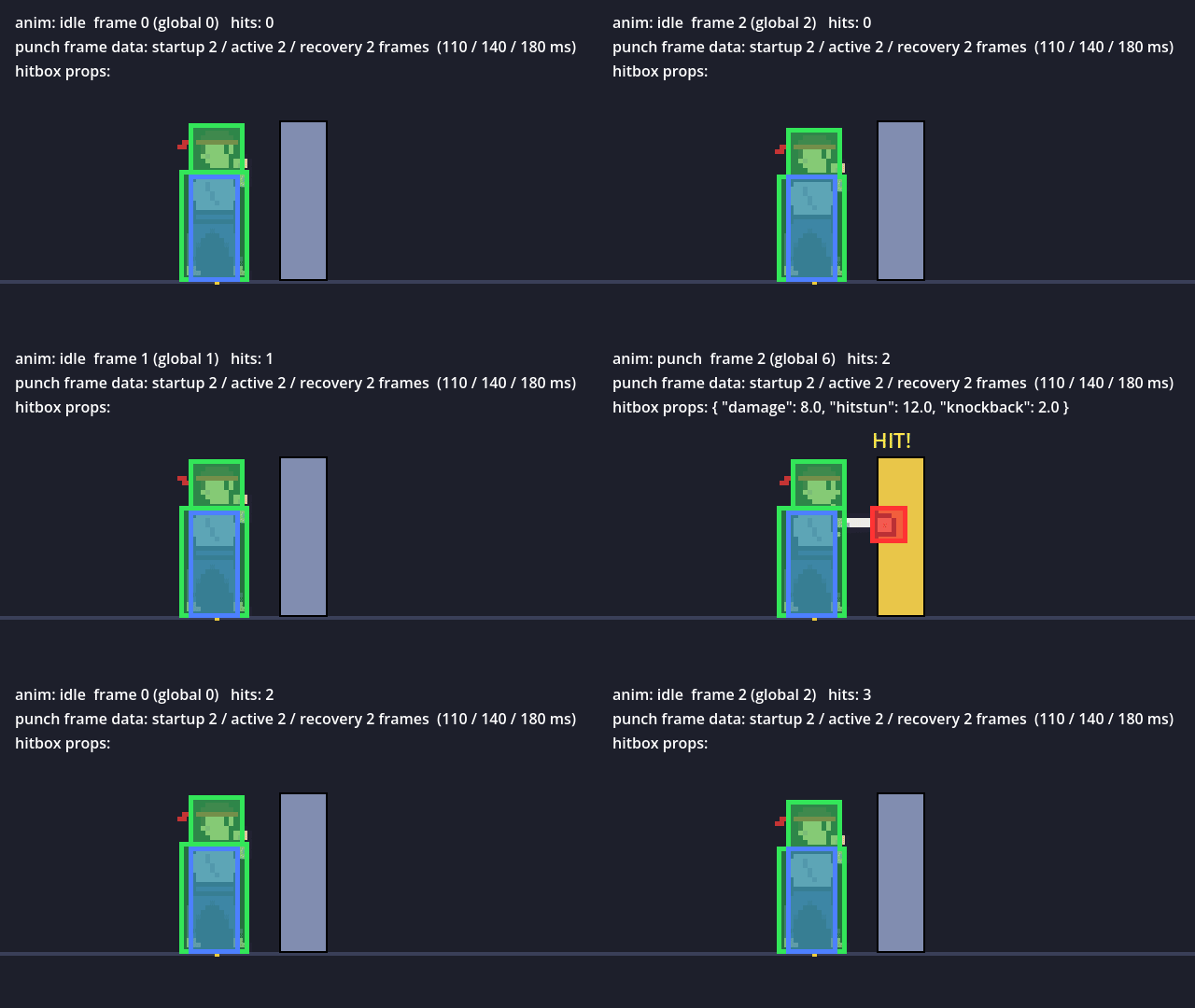
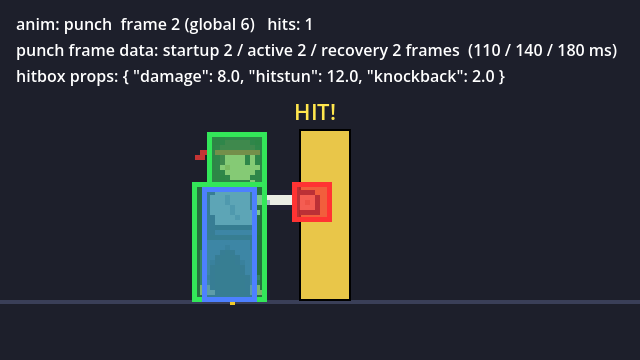
See it in action: Frame-by-frame hitbox data exported from Aseprite and used for collision detection in Godot 4.
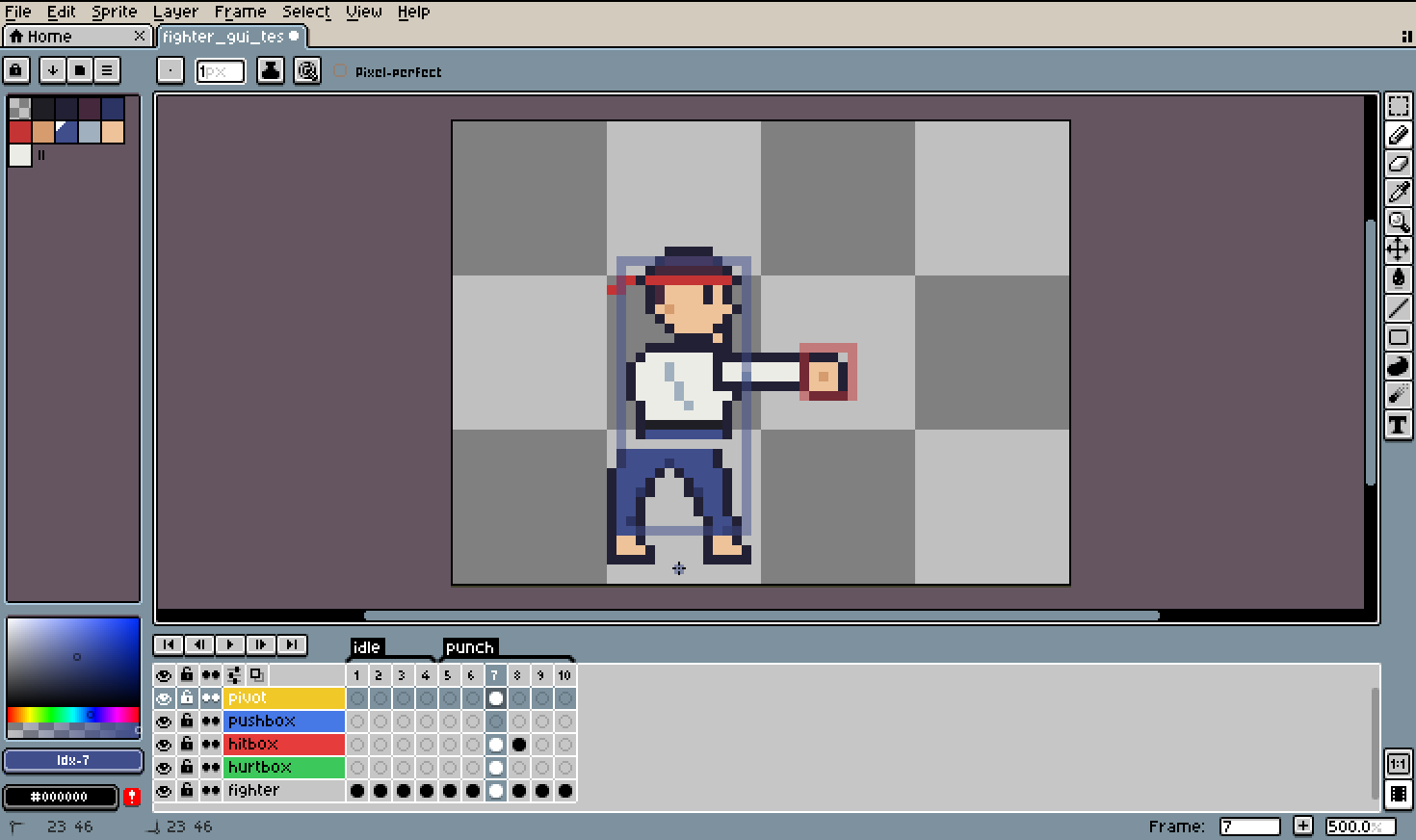
Draw hitboxes, hurtboxes and pushboxes on dedicated layers, frame by frame, then export the geometry, timing and metadata as JSON or CSV.
Use Aseprite's familiar drawing tools and timeline. Keep the data in your source animation, rather than maintaining a separate collision-authoring project
From artwork to collision data
- Author in Aseprite. Add the standard box and pivot layers with one command. Use filled rectangles or outlines; multiple separate blobs can share a cel.
- Export per-frame data. JSON includes boxes, animation tags, durations, pivots and properties. CSV includes a box table and a per-tag timing table.
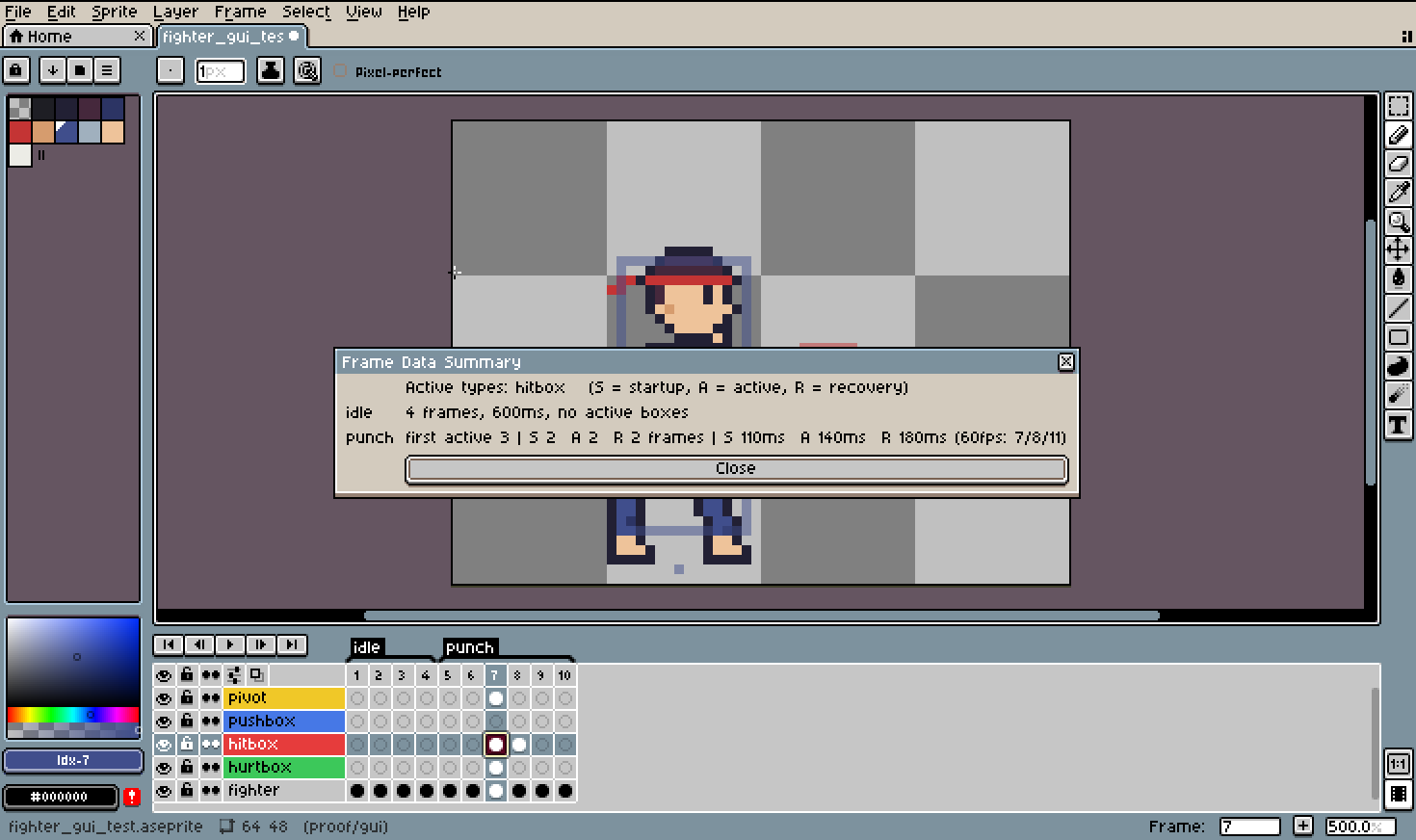
- Inspect move timing. See startup, active and recovery in animation frames, milliseconds and rounded 60 FPS ticks.
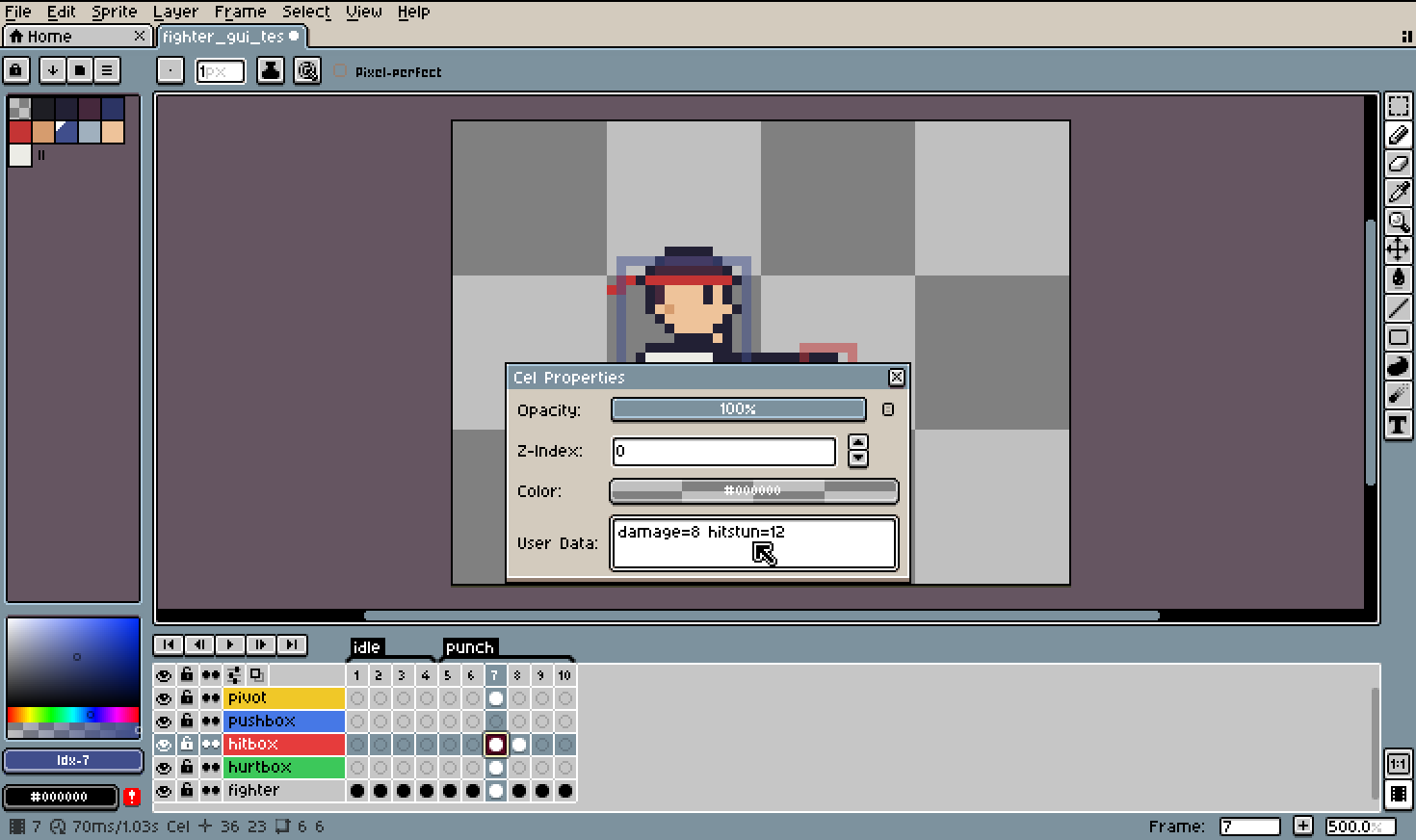
- Attach combat metadata. Use layer defaults and cel overrides such as
damage=8 hitstun=12. Every box in a cel shares that cel's properties; use separate layers when individual boxes need different values. - Choose your coordinates. Use center, bottom-center, top-left or bottom-left, or place a pivot pixel. Export with Y down or Y up.
- Use your own box types. Name layers such as
box:parryorbox:grab. - Automate exports. The included Lua CLI script supports Aseprite batch use.
- Connect to Godot 4. The included
FrameDataBoxeshelper followsAnimatedSprite2Dframes, creates collision areas/shapes, exposes metadata, and handles sprite flips and parent scaling. Debug drawing helps check alignment.
What's included
The full download contains the installable Aseprite extension, documentation, Godot helper, example .aseprite artwork and exported data, and a runnable Godot fighter/training-dummy demonstration. The current itch.io download is the full bundle. Aseprite and Godot applications are not bundled.
Some workflow screenshots and clips were recorded during earlier builds. Tthe stable v1.1.1 release completed licensed Windows acceptance testing, including GUI exports, batch errors, collisions, flips and scaling.
Compatibility — check before buying
Tested: Windows 11, full Steam Aseprite 1.3.18.6-x64, and Godot 4.7.2 Windows for the included helper/demo. You need a full Aseprite installation with scripting; the trial cannot run the extension. Aseprite is purchased separately.
Other Aseprite/Godot versions and operating systems have not been accepted for this release. Godot is optional if you only need JSON/CSV. Other engines can read the documented format, but only Godot has an included integration helper.
First export
- Install the
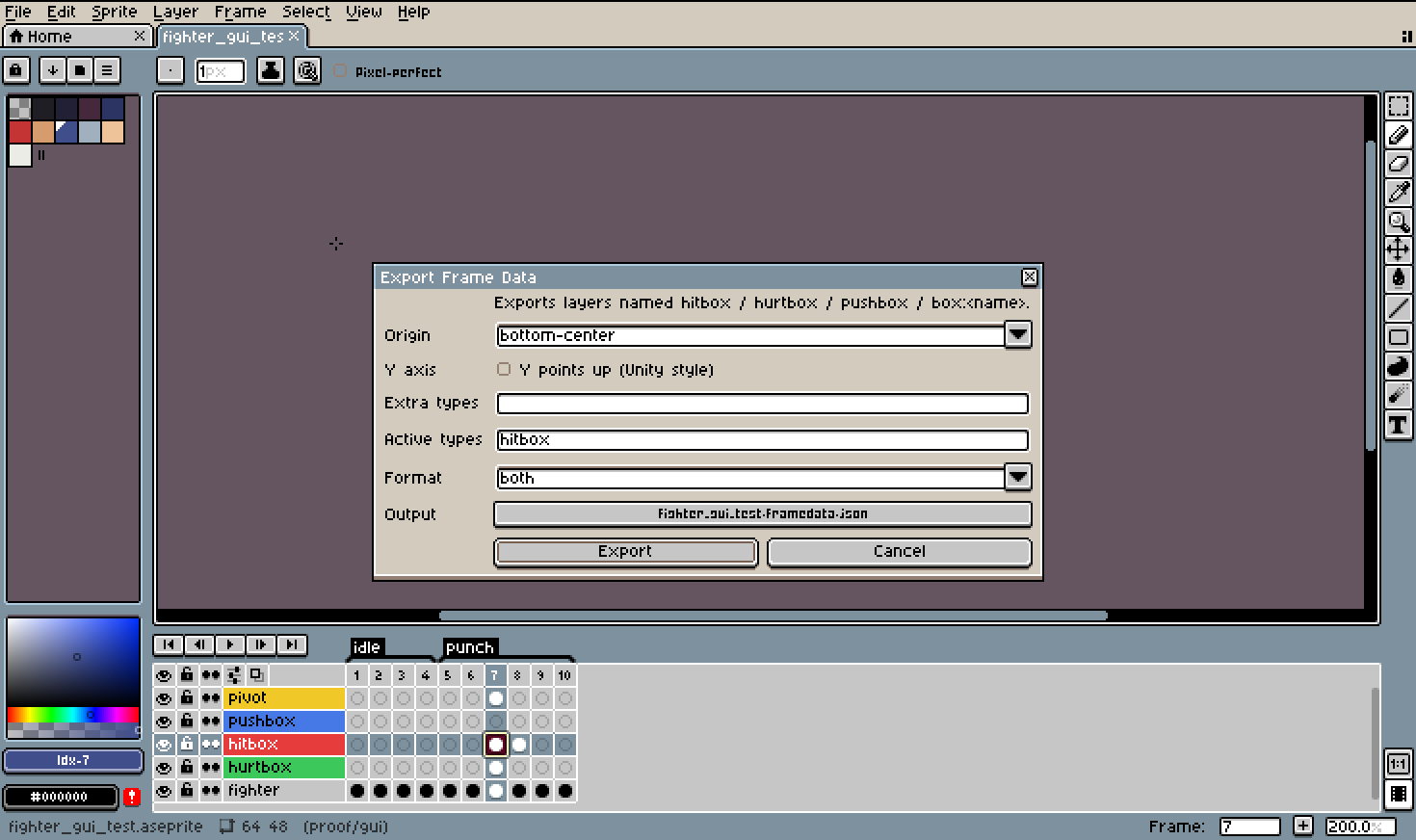
.aseprite-extensionthrough Edit > Preferences > Extensions > Add Extension, then restart Aseprite. - Open a working copy of your sprite and choose Layer > New > Add Frame Data Layers. Draw on the hitbox/hurtbox layers with an opaque colour.
- Optionally set layer/cel User Data and place a pivot pixel.
- Choose File > Export > Frame Data (Hitboxes). Select your origin, Y axis, and JSON, CSV or both. Approve the intended per-file write prompts.
For Godot, copy the helper and JSON into your project, attach the helper beneath your AnimatedSprite2D, and match the sprite origin to the export. The included installation guide covers pivots, collision masks and the demo setup.
Important limits
- Boxes are axis-aligned bounding rectangles of connected same-colour pixels. Touching blobs of the same colour merge. Circles and polygons are not supported.
- Damage/hitstun are exported metadata, not a complete combat system. The tool does not apply damage, implement hitstun or calculate advantage on hit/block.
- The active count spans the first through last active animation frame, including any inactive gaps. Ping-pong timing covers the initial traversal.
- Missing pivots inherit the previous pivot; frames before the first use that first pivot. Inheritance follows the whole sprite timeline, across tags.
- Godot alignment needs matching origins and full untrimmed textures. Changing pivots requires updating artwork offsets. Call
refresh()after toggling sprite flip flags. Third-party importers and trimmed textures are unverified. - Export overwrites its selected files. A failed multi-file export may leave partial or already-written siblings.
Quick FAQ
Can I give two boxes in one cel different damage values? No. Properties are shared by all boxes in that cel. Use separate layers for different values; cel data overrides its layer's defaults.
Do I need Godot? No. Use the JSON/CSV in your own pipeline. The included ready-made helper is for Godot; other engines require your own reader/integration.
Can I use it in a commercial game? The release-candidate license describes personal and commercial game use, including permissions for exported data and the Godot helper.Frame Data Kit v1.1.1 is available now for personal and commercial projects under the included customer license.
Does it automatically create my sprite animations in Godot? No. Supply your SpriteFrames/AnimatedSprite2D animation; the helper follows its frames. The demo includes a prepared sprite sheet and animation setup.
AI-development disclosure
Frame Data Kit was developed and revised with generative AI agents, including Codex. Documentation and storefront text are AI-assisted. The demo sprite is generated from pixel maps in the supplied AI-authored code; screenshots and videos are real workflow captures. Windows acceptance combined automated checks with publisher-operated GUI steps. Frame Data Kit makes no AI-service calls at runtime.
Morselware — Little tools. Big ideas.
Purchase
In order to download this tool you must purchase it at or above the minimum price of $4 USD. You will get access to the following files:
Development log
Leave a comment
Log in with itch.io to leave a comment.